EvalSignal field note
The agents ate your terminal. The browser is next.
This week, we take a break from benchmarking the latest LLMs to look at a different kind of AI agent: WebBrain, an open-source agent built for the browser.
The defining AI story of the last few years was not only better models. It was the harness around them.
Cursor turned the IDE into a place where developers describe outcomes. Claude Code pushed the same loop into the terminal. OpenCode showed how quickly an open-source alternative could become credible. General-purpose frameworks then moved agents beyond software development.
The next contested surface is the browser.
That matters because the browser is where much of modern work actually happens: invoicing, dashboards, CRM systems, research, project management, banking, and government services. Browser agents have to do more than summarize a page. They need to understand an interface, choose an action, execute it reliably, observe the result, and recover when the page changes.
WebBrain is an open-source attempt to build that missing layer.

What WebBrain is
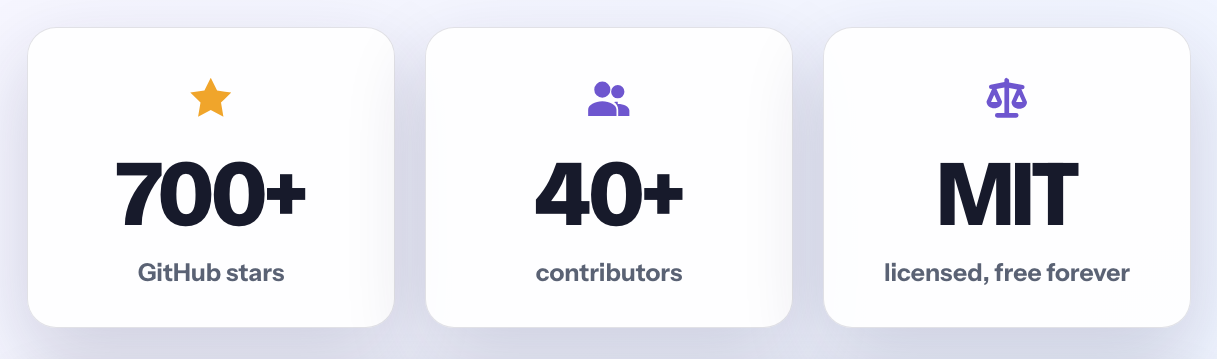
WebBrain is a free, MIT-licensed browser agent for Chrome, Firefox, and Edge. It runs in a side panel and exposes three operating modes:
- Ask reads and analyzes without taking browser actions.
- Act can click, type, scroll, navigate, fill forms, and execute multi-step workflows.
- Dev inspects source, styles, and the DOM for debugging work.
The important distinction is action. Many browser assistants stop at search, extraction, or summarization. WebBrain is designed to operate the interface itself, including pages built with iframes, shadow DOM, React, and Web Components.
It uses the Chrome DevTools Protocol for trusted input events instead of relying only on synthetic DOM clicks. Its tool surface includes accessibility-tree reads, structured extraction, PDF reading, scheduled tasks, an on-page scratchpad, and a plan-before-act approval step.
There is also a practical concession to small local models: WebBrain can reduce the number and complexity of tools exposed to the model. That matters because a smaller model can lose accuracy when it has to choose among dozens of large schemas on every turn.
The provider choice is the product choice
WebBrain is not tied to one model vendor. It can connect to local runtimes such as llama.cpp, Ollama, LM Studio, Jan, vLLM, and SGLang, as well as hosted providers including OpenAI, Anthropic, Gemini, Mistral, DeepSeek, Qwen, Groq, NVIDIA NIM, Cloudflare Workers AI, and OpenRouter. OpenAI-compatible endpoints work as well.
That makes a fully local configuration a first-class option. When the model is served locally, page text and screenshots do not need to leave the machine for inference.
Local inference can also improve end-to-end latency. A browser workflow may require dozens of model calls. Removing a network round trip from every step can outweigh the lower token throughput of local hardware, provided the model and quantization are a good fit for the machine.
The current WebBrain recommendation for a high-end local setup is a Qwen-family vision model on a capable consumer GPU. The exact winner will keep changing, which is why EvalSignal evaluates the model layer separately from the agent harness.
A bridge for coding agents
WebBrain also ships an MCP server:
npx -y @webbrain/mcp-server
The bridge lets Claude Code, Codex, Cursor, OpenCode, or Claude Desktop operate a real signed-in Chromium browser. The browser keeps the visible permission gate, while the coding agent gains access to sessions that would otherwise require cookie export, headless login, or credential replay.
This is one of the more useful near-term patterns: let the coding agent keep its planning and code context, then hand browser-specific work to a purpose-built browser tool layer.
The MCP bridge currently targets Chromium browsers; Firefox is not supported by the bridge.
Apocalypse Mode, in preview
Every cloud assistant assumes the network is available. Apocalypse Mode starts from the opposite assumption.
The preview moves inference into the browser through WebGPU. There is no separate llama.cpp, Ollama, or external inference server to configure. Model weights live in browser storage and run through the same graphics stack used to render the page.
The broader idea is an offline knowledge system. WebBrain can pre-download reference archives such as Wikipedia, medical and first-aid material, and practical engineering documentation, then run local retrieval-augmented generation over them. A question is retrieved and answered without contacting a remote service.
The intended scenarios range from poor connectivity to prolonged outages and disaster response. Most users may never need it. That is also the point: offline capability is useful only if the models and knowledge archives were downloaded before the connection disappeared.
This remains a preview. The questions that matter are model quality under WebGPU constraints, storage requirements, retrieval accuracy, update mechanics, and whether the offline package remains usable on ordinary laptops rather than only ideal hardware.
What still needs to be proved
Open source and local execution improve inspectability, but they do not automatically make an acting browser agent safe or reliable.
The hard evaluation questions are familiar:
- Does it recover when an interface changes halfway through a workflow?
- Does the approval boundary remain clear during long tasks?
- How often does a small local model select the wrong tool or target?
- Can prompt injection inside a page redirect the agent?
- How do local, hosted, and cloud-managed versions compare on the same frozen tasks?
Those are measurable questions. They are also where future EvalSignal testing should focus.
Verdict
The modern agent stack is becoming a portfolio rather than a single product: a coding agent for the repository, a general-purpose agent for planning, a local or hosted model server, and a browser agent for the applications where work gets completed.
WebBrain is an unusually complete open-source entry in that last category. It acts rather than only reads, supports both local and hosted models, and gives existing coding agents a path into a real browser session.
Apocalypse Mode is the more speculative piece, but also the more original one. If the preview can deliver useful browser-native inference and offline retrieval on ordinary hardware, it becomes more than a browser extension. It becomes a self-contained local information and action layer.
That is worth testing.